Your complete color workspace
Create palettes, build brand color systems, generate tints and shades, check accessible contrast, and explore color with Arya—without leaving Figma.
Useful free tools included. Optional Pro features are managed through Dopely.
Everything your color workflow needs
Go from a single color, an image, an existing design, or a brand idea to a structured result you can use in Figma.
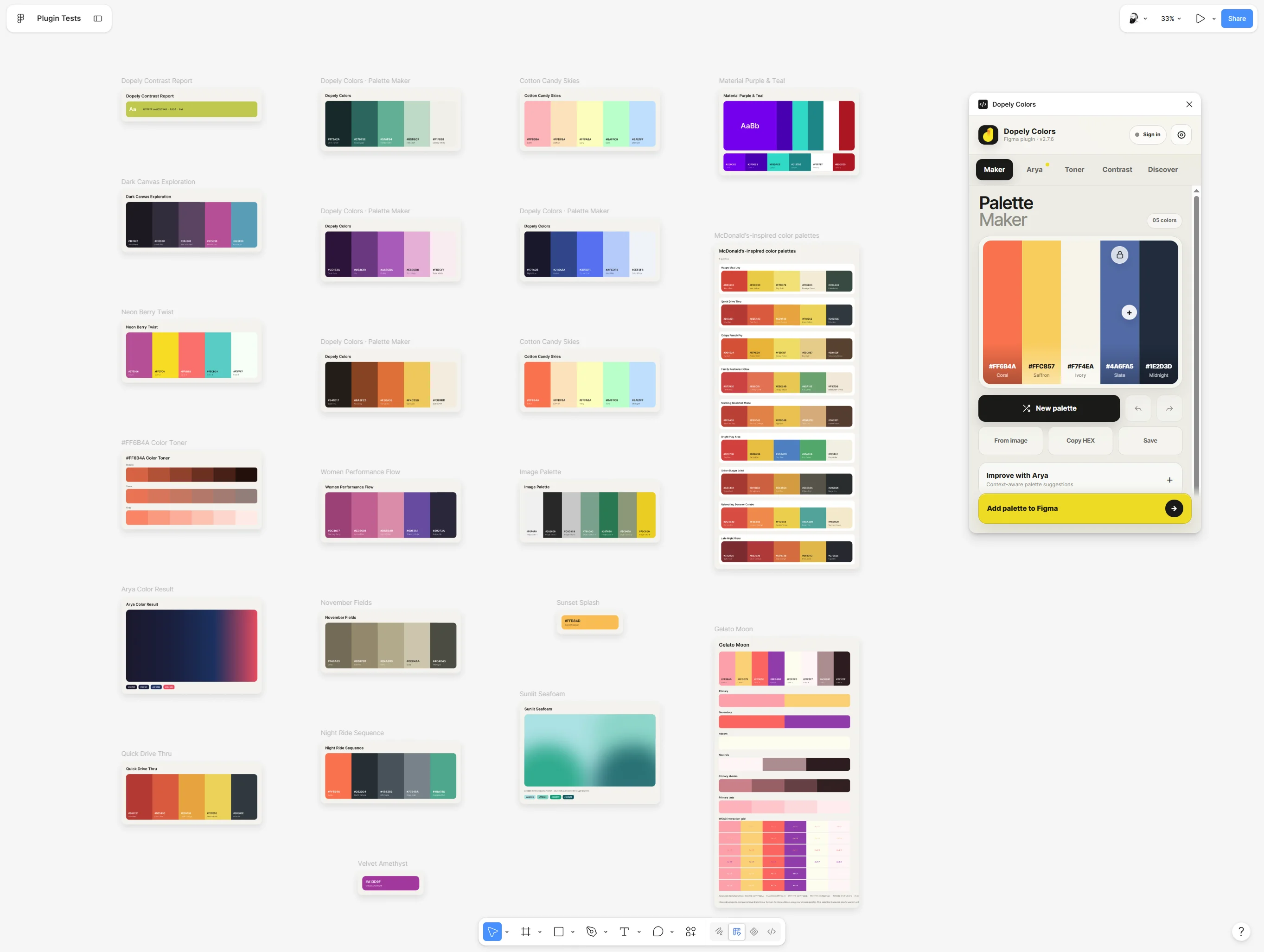
Build a palette that feels right
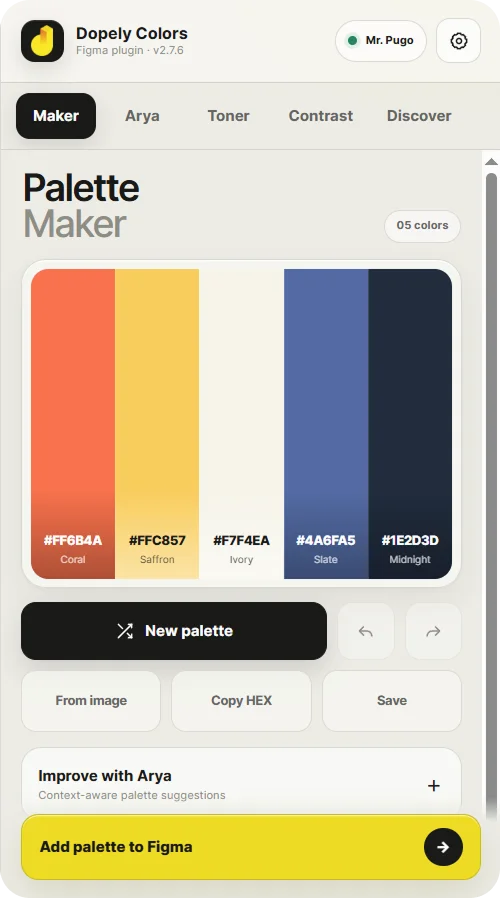
Create palettes with 2–10 colors, edit HEX values, lock the colors you want to keep, extract colors from images, and refine every combination with immediate visual feedback.
- 2–10 color palettes
- Editable HEX values
- Color locks
- Undo and redo
- Image color extraction
- Instant palette preview
- Saved palettes
- Add directly to Figma
- Improve with Arya
- Color Bridge workflows
A color expert, right inside your workflow
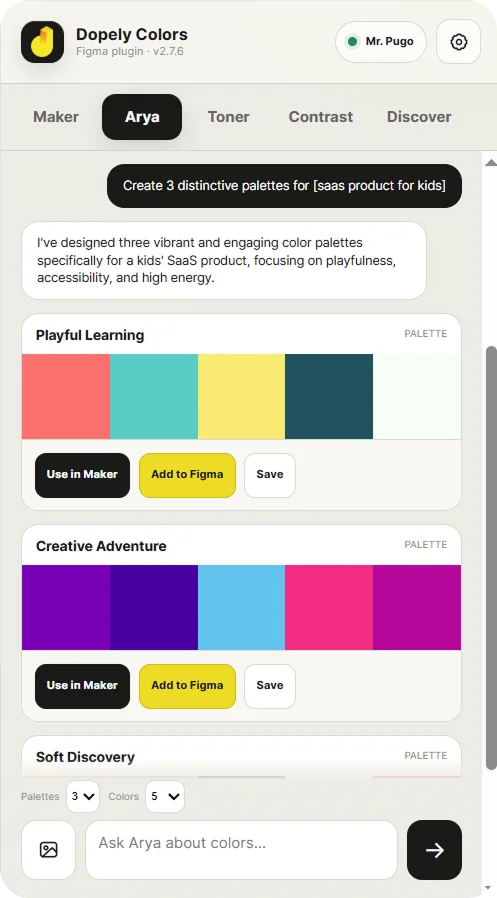
Arya is a specialized color assistant for palettes, gradients, harmonies, accessibility, image color analysis, and brand color systems.
Describe what you need, continue the conversation, compare visual results, send a direction to Maker, save it, or add it directly to Figma.
"Make this palette warmer, calmer, and more suitable for a premium wellness brand."
Turn a brand idea into color directions
Describe your brand, industry, vision, mood, and visual style. Add a preferred HEX if you already have one, then compare multiple palette directions before choosing what to build.
Brand Brief
Warm & Grounded
DirectionCalm & Clinical
DirectionBold & Energetic
DirectionBuild more than a palette
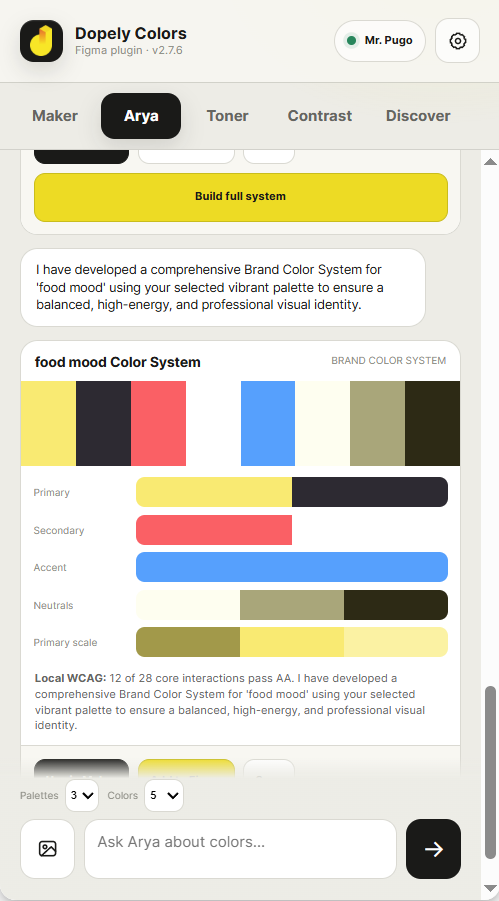
Turn your chosen direction into a structured color system with primary, secondary, accent, neutral, gradient, scale, accessibility, and usage guidance.
AA · AAA ratios checked
Do's, don'ts & tips
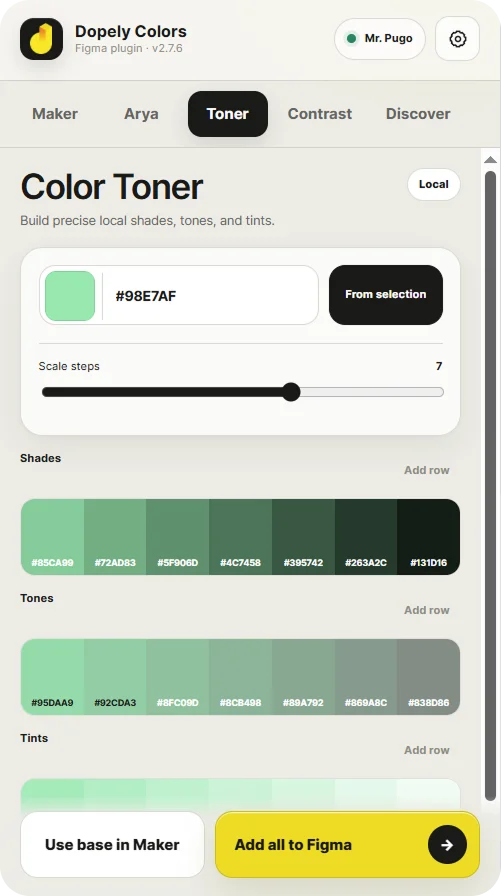
Create every tint, shade, and tone
Start with a HEX value or selected Figma colors. Generate smooth 2–10 step scales toward white, black, or gray.
- Manual HEX input
- Color picker
- Figma selection colors
- Up to six unique solid colors
- 2–10 steps
- Add one row
- Add all rows to Figma
- Use the base color in Maker
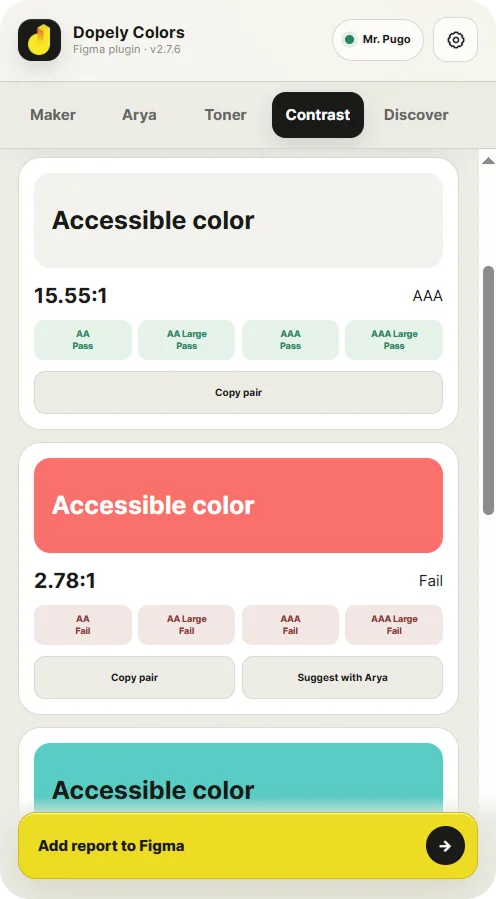
Design with accessible contrast
Check foreground and background colors against WCAG contrast standards. Enter colors manually or scan supported color pairs from selected Figma layers.
- Manual foreground and background
- Color picker
- Swap colors
- Figma selection pair detection
- Duplicate pair removal
- Accessible alternative suggestions
- Apply supported suggestions
- Add a contrast report to Figma
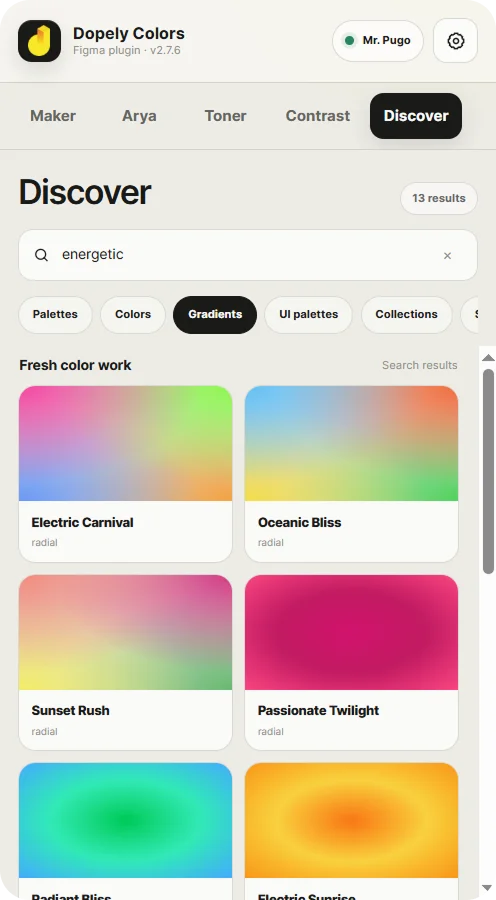
Find inspiration. Make it yours.
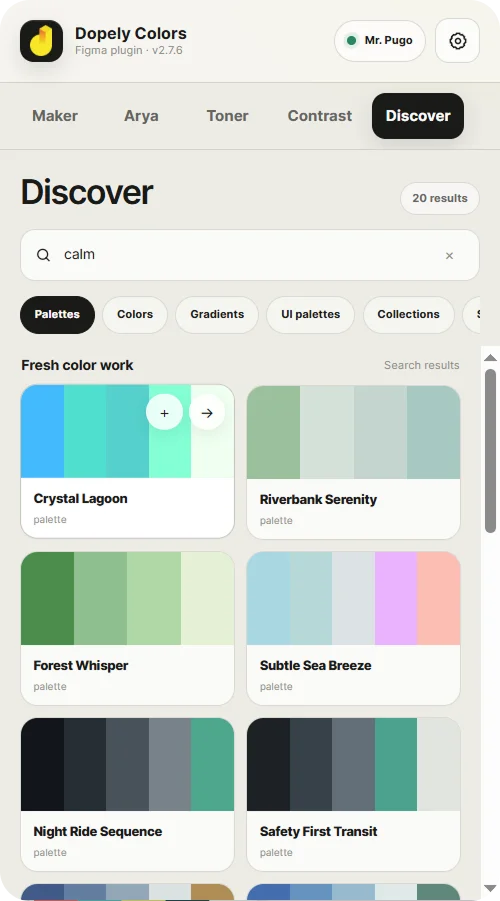
Explore curated palettes, colors, gradients, UI palettes, saved items, and collections—then bring the strongest ideas into your own workflow.
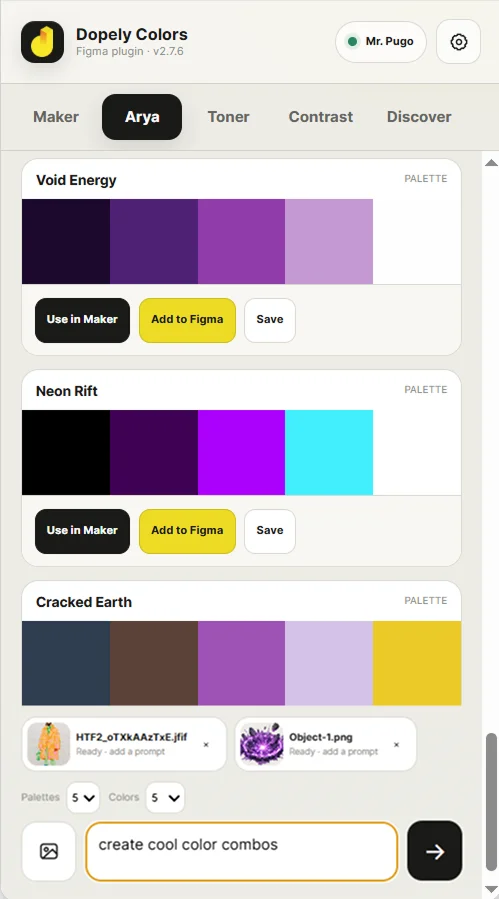
Turn visual references into color direction
Attach up to three images to an Arya request and explore their palette, mood, contrast, and color relationships.
- Up to three attachments
- Clear uploading and ready states
- Color-focused analysis
- Visual result cards
- Continue refining through conversation
Images are uploaded only when you explicitly attach them to a request.
Build the color. Bring it into Figma.
Add palettes, color scales, brand systems, gradients, and accessibility reports directly to your Figma canvas.
Explore
Browse inspiration or start from scratch.
Refine
Edit, test, and perfect your colors.
Add to Figma
Send structured output to the canvas.
Keep designing
Your colors are ready to use.
Useful color tools from the first click
Create palettes, generate local tints and shades, and calculate WCAG contrast with meaningful free tools.
Free
Included with the plugin
- Palette creation
- HEX editing
- Color locks
- Local Toner calculations
- Local contrast calculations
- Core Figma output
- Selected discovery features
Dopely Pro
Advanced capabilities
- Advanced Arya workflows
- Premium color collections
- Cloud saving and account features
- Advanced brand color workflows
- Other premium capabilities available to the signed-in account
Dopely Pro is managed through Dopely's website and existing billing system.
Your color workflow should feel dependable
LOCAL COLOR TOOLS
Core Toner and contrast calculations run locally inside the plugin.
EXPLICIT IMAGE ATTACHMENTS
Images are uploaded only when you choose to attach them to an Arya request.
PROTECTED AUTHENTICATION
Dopely authentication data is stored using Figma's local plugin storage and is not exposed to the plugin UI iframe.
CLEAR EXTERNAL SERVICES
Network access is used for Dopely accounts, cloud content, saved items, premium features, and Arya-powered workflows.
From inspiration to production-ready color
Start
Use a HEX value, image, Figma selection, or brand idea.
Explore
Build in Maker or explore directions with Arya.
Test
Create scales and check accessibility.
Structure
Turn the strongest direction into a full system.
Ship
Add organized results to your Figma canvas.
Start
Use a HEX value, image, Figma selection, or brand idea.
Explore
Build in Maker or explore directions with Arya.
Test
Create scales and check accessibility.
Structure
Turn the strongest direction into a full system.
Ship
Add organized results to your Figma canvas.
Frequently asked questions
Build better colors without leaving Figma
Create palettes, explore with Arya, build brand systems, generate scales, check contrast, and bring the result directly into your design.
Maker · Arya · Toner · Contrast · Discover